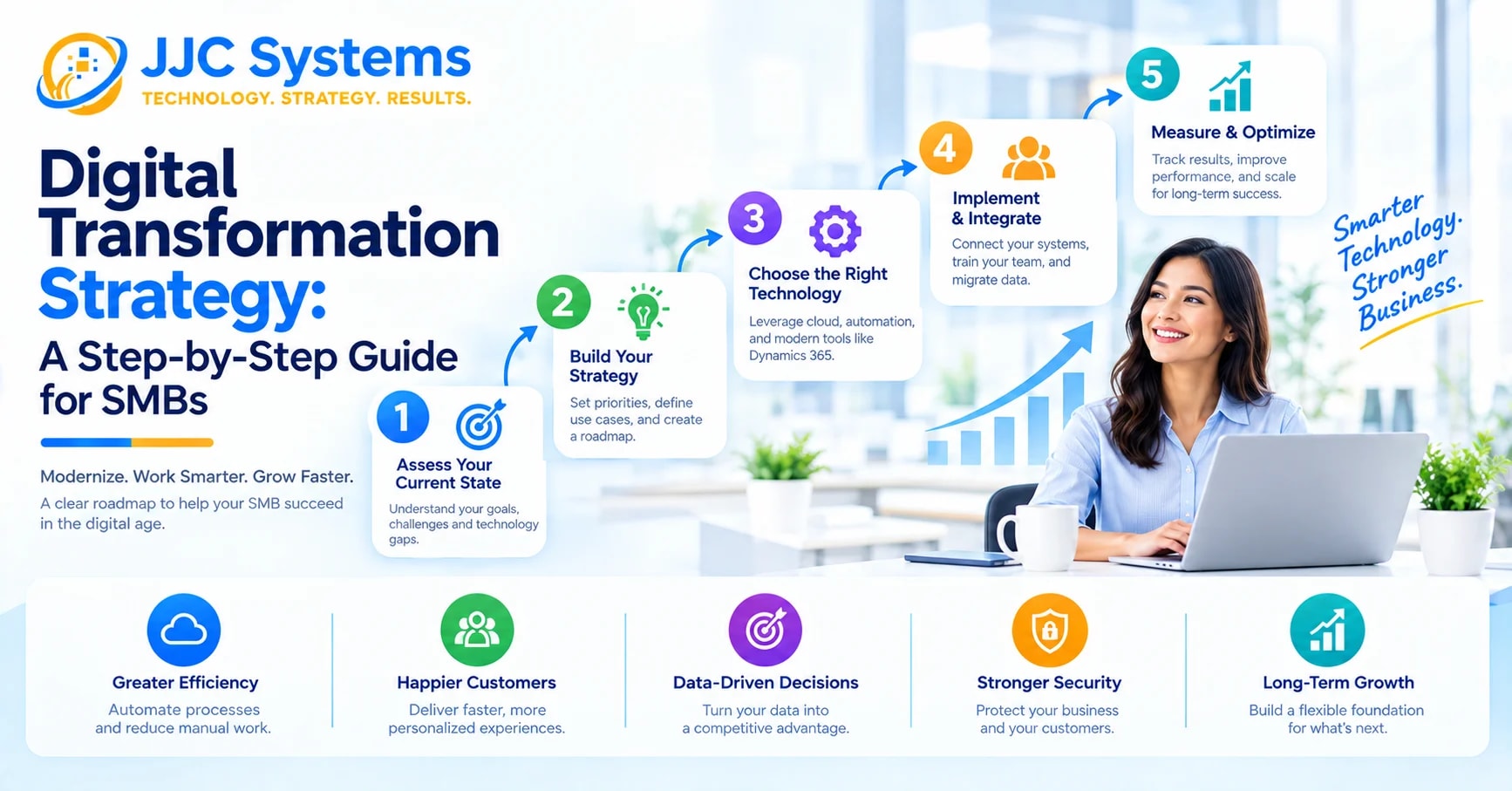
Migrating your business to Microsoft Azure involves five phases: discover and assess your current environment, choose a migration strategy (rehost, replatform, refactor, rearchitect, or rebuild) per workload, design a landing zone for security, identity, and governance, execute the migration using tools like Azure Migrate, and optimize costs and performance after cutover. Most failed migrations skip the planning and governance steps, not the technical move itself.
Moving to Azure isn't simply picking up a server and setting it down somewhere else. Applications talk to each other, data has dependencies, and security can't be bolted on after the fact — move one piece without considering the rest, and you'll likely see downtime or broken connections almost immediately. Here's a step-by-step process that avoids that outcome.
Step 1: Discover and Assess Your Current Environment
You can't migrate what you haven't fully mapped. Start with a comprehensive inventory of every application, server, database, and dependency in your environment — including how they connect to each other and where hidden risks live. Legacy systems often carry baggage: outdated hardware dependencies, custom network configurations, and authentication protocols that are years out of date. Mapping this out before moving anything prevents unpleasant surprises mid-migration.
In 2026, this phase looks different than it did even two years ago — manual discovery is increasingly considered outdated practice, with automated and AI-assisted discovery tools now standard for building an accurate picture of what needs to move and how it's all connected.
Step 2: Define Clear Migration Goals
Before choosing a strategy, get specific about what success actually means for your business. Is the priority zero downtime? Lower infrastructure costs? Faster application performance? Better disaster recovery? Clear, measurable goals guide every decision that follows — without them, it's easy to make tradeoffs that technically "work" but miss what the business actually needed.
Step 3: Choose the Right Migration Strategy Per Workload
Not every application should move the same way. The most common approaches are:
- Rehost ("lift and shift") — move applications to Azure with minimal changes. Fastest option, good for quick wins or applications you don't plan to modernize further right now.
- Replatform — make small optimizations during the move (like switching to a managed database) without a full rebuild. Balances speed with some cloud-native benefit.
- Refactor — restructure application code to take fuller advantage of cloud-native capabilities, without a complete rebuild.
- Rearchitect — redesign the application more substantially to fully leverage Azure's platform services.
- Rebuild — rebuild the application from scratch using Azure-native services, typically reserved for legacy applications that can't be efficiently modernized any other way.
Most real-world migrations use a mix — rehosting short-lived or lower-value workloads for speed, while refactoring or rearchitecting strategic applications where the investment pays off long-term.
Step 4: Design Your Landing Zone Before Moving Anything
A landing zone is the foundational environment — network topology, identity and access management, security baselines, governance policies, and cost controls — that everything else gets deployed into. Skipping this step is one of the most common reasons migrations run over budget or become difficult to manage afterward. Define naming conventions, resource tagging, and role-based access control up front, and enable cost allocation tagging so finance can track usage and enforce budgets as the migration scales. This governance discipline matters more than it sounds: a 2023–2024 Gartner survey found that 69% of IT leaders reported cloud budget overruns, frequently traced back to skipped upfront governance.
Step 5: Execute the Migration
With strategy and landing zone in place, the actual move begins. Microsoft provides purpose-built tools to automate this phase:
- Azure Migrate for discovery, assessment, and orchestrating the migration of servers, databases, and virtual machines
- Azure Database Migration Service to move data, schemas, and objects from on-premises systems to Azure at scale
- Azure Site Recovery to replicate workloads and run test failovers, validating that recovery works before you actually need it
Follow migration best practices for data integrity, application configuration, and testing throughout — and create a rehearsed cutover plan with clear rollback steps, tested against non-production systems first to reduce go-live risk.
Step 6: Secure the Environment From Day One
Migration is also the moment to build security in rather than bolt it on afterward. Azure includes native tools purpose-built for this: Security Center for threat monitoring, Azure Policy for governance enforcement, and Azure Active Directory (Microsoft Entra ID) for access control. One misconfigured resource is enough to create a breach opportunity, so these controls belong in the landing zone design from the start, not added after workloads are already live.
Step 7: Monitor, Optimize, and Right-Size After Cutover
Migration doesn't end when the last workload goes live. Turn on centralized logging and feed activity into monitoring tools that can flag unusual behavior early. Use Azure Cost Management to right-size resources based on actual usage — over-provisioned environments quietly erode the cost savings that motivated the migration in the first place. Ongoing optimization, not the initial move, is what typically determines whether an Azure migration delivers on its promised ROI.
What Businesses Actually Gain From Migrating to Azure
Beyond flexibility and scalability, Azure migrations increasingly deliver measurable business outcomes. Organizations moving from CapEx-heavy on-premises infrastructure to Azure's OpEx model often see cloud spend reduced by 20–40% compared to unmanaged legacy environments when governance is applied correctly. Sustainability is also a growing factor in 2026 — Azure data centers are up to 93% more energy efficient than typical on-premises infrastructure, which increasingly matters for organizations tracking carbon reduction commitments.
Common Migration Pitfalls to Avoid
- Treating migration as a one-time event rather than an ongoing practice of optimization and governance
- Skipping dependency mapping, leading to broken connections and unexpected downtime during cutover
- Moving everything with the same strategy instead of matching the approach to each workload's actual needs
- Deferring security and governance until after the migration instead of building it into the landing zone from day one
- Underestimating the cutover rehearsal — testing on non-production systems first catches issues a live cutover can't afford to discover
Ready to Plan Your Azure Migration?
A successful migration comes down to discovery, the right strategy per workload, and governance built in from the start — not just moving servers. Book a free IT assessment with JJC Systems to map out your migration path, explore our full Cloud Infrastructure services, review how the right monitoring stack fits in with our What Is a SOC? guide, or contact our team with questions.